What is an AI text expander? Templates and AI replies for Chrome
A classic text expander replays text you already wrote. An AI text expander adds a second mode: drafting text you have not written yet, from the message in front of you. Both land in the same place — the field your cursor is already in — and knowing which mode you actually need is most of the buying decision.
The two mechanisms, and why the distinction matters
Every tool in this category inserts text at your caret. What differs is where that text comes from, and the two sources have opposite strengths.
Deterministic expansion
You save a snippet once, give it a trigger — an abbreviation like ;sig, or a
number key — and from then on the tool replays it exactly. Same characters
every time. This is what "text expander" meant for the twenty years before AI entered the
category, and it is still the correct tool whenever the wording is not yours to improvise:
refund terms, shipping policies, licence text, your address, a booking confirmation.
Its limit is obvious. A snippet cannot know who it is being sent to, so anything situation-specific has to be typed around it.
Generation
The tool reads the message you are replying to, takes a short instruction from you, and writes the reply. Nothing is stored in advance, so it handles the long tail — the messages that are each a little different and, in aggregate, eat the afternoon.
Its limit is the mirror image: output varies between runs, so it is the wrong mechanism for anything that must be word-for-word repeatable, and every draft needs a glance before it goes.
The practical rule: if you would be annoyed by the wording changing between two sends, it should be a template. If you would be annoyed by writing it out again, it should be generated.
Why the two are converging into one tool
Until recently these were separate products. They merged for a boring reason: they compete for the same keystroke. If templates live behind one shortcut and the AI assistant lives behind a different button in a different corner of the screen, you spend your attention deciding which surface to reach for — which is exactly the overhead both tools existed to remove.
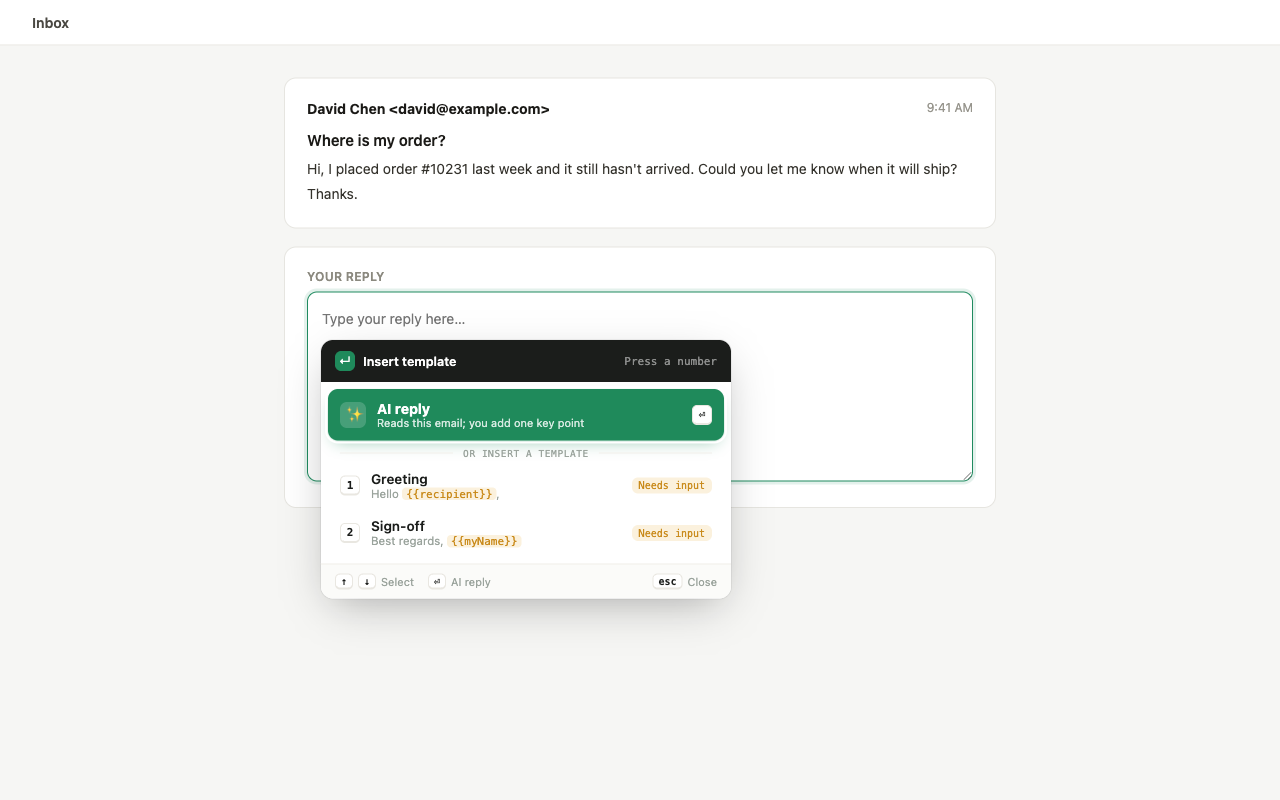
Put both behind one trigger and the decision disappears. You press the key, and choose the mechanism from the same list, in the same place, without your hands leaving the keyboard.
Seven things worth checking before you install one
1. Where the UI appears
Tools split into two camps: a floating button or sidebar that sits over the page, and a command window that opens at the caret when you ask for it. The floating button is discoverable; it is also permanently in the layout of every site you visit. If you answer messages all day, the second kind stays out of the way better.
2. Whether it works in rich-text fields
A plain <textarea> is easy. Slack in the browser, LinkedIn's message field,
and most support consoles use contenteditable rich-text surfaces, which are
considerably harder to insert into correctly. Plenty of extensions handle one and mangle the
other. Test the field you actually live in before committing.
3. Variables in templates
A template with a name in it is only reusable if the name is a slot. Look for placeholder
syntax — {{recipient}}, {{order_no}} — and, more importantly, whether
the tool prompts you for those values on insert. A placeholder you have to find and
overwrite by hand is barely better than retyping.
4. Whether the trigger is rebindable
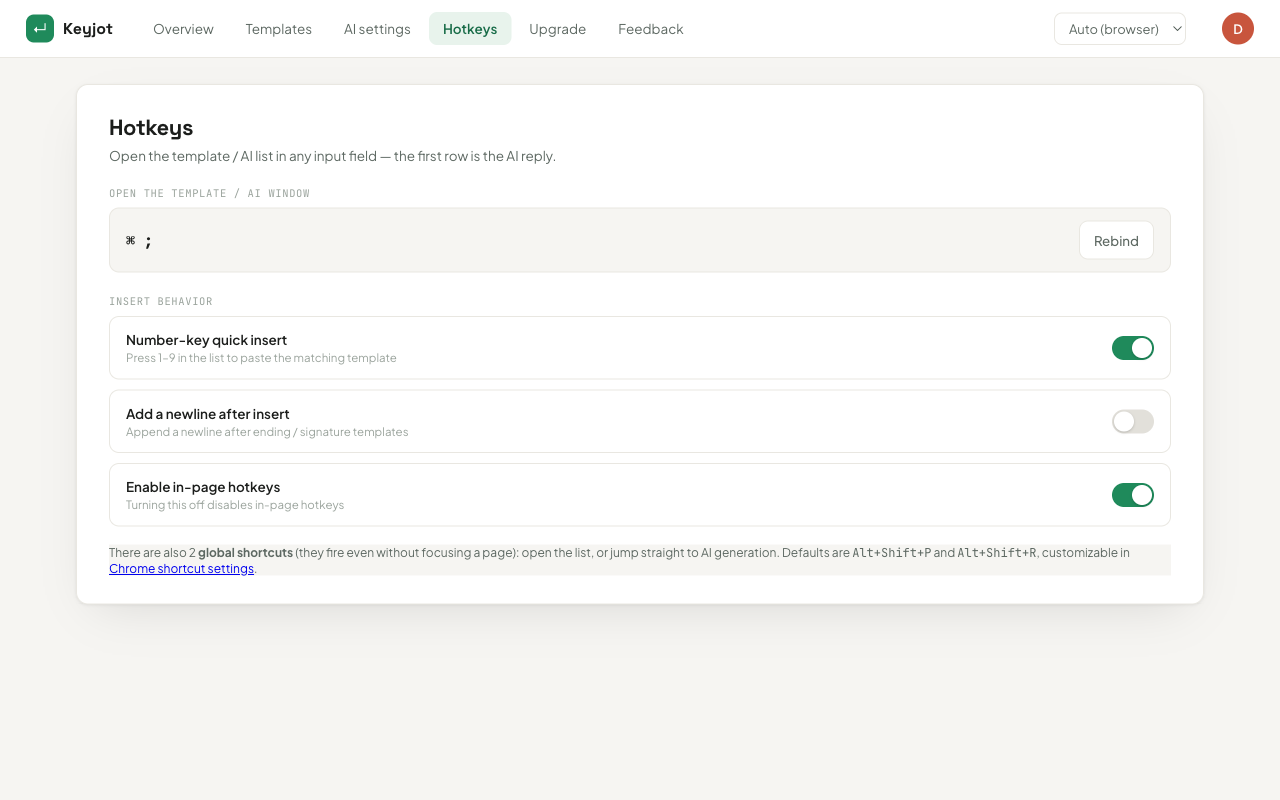
Any shortcut worth using is going to collide with something — an OS shortcut, a web app's own hotkey, an IME. If the trigger is hard-coded, that collision is permanent. Rebindable triggers are a small feature that decides whether you keep the tool after week one.
5. What happens to your text
Generation means the message you are answering is sent to a model. That is unavoidable and fine — but you should be able to find out, from the privacy policy rather than the marketing page, which provider receives it, whether it is retained, and whether your snippets and drafts are swept into product analytics. Vagueness here is itself an answer.
6. How it is priced
Most of this category is per-seat subscription, which is a sensible model for a team rolling out shared snippet libraries and a poor one for an individual who wants a keystroke back. Some tools price the AI half by metered usage. Neither is wrong; they just suit different buyers, and the mismatch is the most common reason people abandon one of these tools.
7. Whether it degrades gracefully offline
Generation needs a network round trip. Deterministic expansion does not, and shouldn't be made to. A tool that gates your saved snippets behind the same connection as its model has bundled a dependency you didn't ask for.
Where Keyjot sits
Keyjot is built around the merged model described above: one trigger — ⌘ ; on macOS, Ctrl ; on Windows and Linux — opens a command window beside the cursor in whatever field you are typing in. From that window, the number keys 1–9 insert saved templates, and the AI option drafts a reply from the message you are answering plus one line of intent from you.
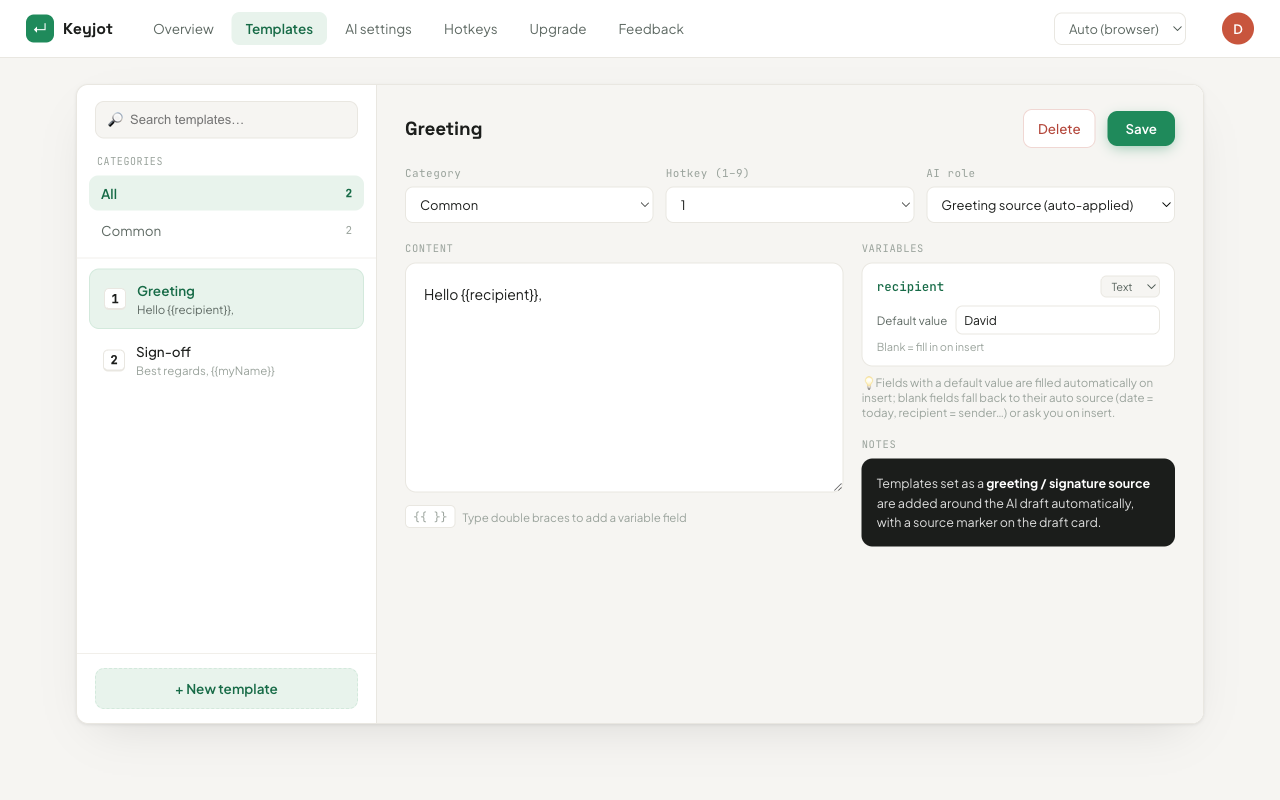
Templates support {{variable}} placeholders that are detected automatically and
asked for at insert time. Generated drafts can be wrapped with a saved greeting and sign-off,
and switched between formal, friendly, short, and decline. The trigger is rebindable. It works
in standard inputs, textareas, and rich-text fields — Slack in the browser, LinkedIn, support
consoles, CRMs, and forums — rather than through a single-product integration. There is no floating
button.
Pricing is a one-time $3.99 access pass rather than a subscription; it includes 100 AI reply tokens, one per generated reply, and saved templates and hotkeys are unlimited and unmetered. Further token packs are optional. Message text, generated drafts, saved templates, and key points are excluded from analytics — the privacy policy is the full account.
Try it on the field you actually live in
Keyjot is available now on the Chrome Web Store.
Add to Chrome — $3.99 one-timeQuestions
Is an AI text expander different from an AI writing assistant?
Mostly in where it lives. A writing assistant usually owns a surface — a sidebar, a document, a chat window — and you move text into and out of it. A text expander stays at the caret in the field you are already typing in, so the output lands where you were typing rather than somewhere you have to copy it from.
Do I still need saved templates if the AI can write anything?
For anything that must be exact, yes. Generation is probabilistic — that is the feature — which makes it the wrong mechanism for refund terms, policy text, or a booking confirmation that has to read identically every time. The two modes cover different failure cases.
Do these work in any browser text field?
It depends on the tool. Ones built around a single integration only work inside that product. Ones built on standard inputs, textareas, and contenteditable rich-text fields work anywhere those exist, which covers Slack in the browser, LinkedIn, support consoles, CRMs, forums, and most web forms.
What does "caret-anchored" mean?
That the tool's window opens at your text cursor rather than at a fixed position on screen, and inserts at that same point. It matters because it keeps the interaction inside the sentence you were writing — no mouse trip to a panel and back.